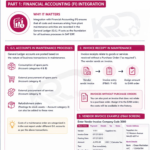
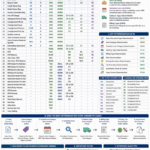
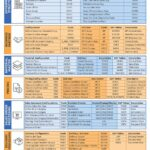
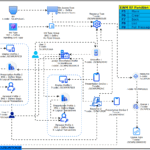
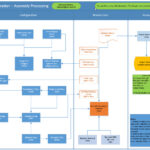
The cheat sheet image, prepared by Leila Rousta, depicts the configuration steps for Financial Accounting (FI) Global settings in SAP ERP. It illustrates the process of defining the enterprise structure, company code parameters, document settings, and profit center accounting. The diagram includes both mandatory and some optional steps, showing how these elements link together.
SAP FI Configuration Cheat Sheet Breakdown
| Section/Category | Transaction Code | Description |
| Company Code Global Parameters | ||
| OBY6 | Enter Company Code Global Parameters | |
| OBC4 | Define Field Status Variants (FSVs) | |
| OBC5 | Assign Company Codes to Field Status Variants | |
| OBBO | Define Posting Period Variants | |
| OBBQ | Assign Posting Period Variants to Company Codes | |
| OB13 | Define the Chart of Accounts | |
| OB62 | Assign Company Code to Chart of Accounts | |
| OB29 | Maintain Fiscal Year Variant | |
| OB37 | Assign Company Code to a Fiscal Year Variant | |
| Enterprise Structure | ||
| KEA0 | Create an Operating Concern. | |
| Assign Controlling Area to Operating Concern | ||
| OX06 | Define Controlling Area | |
| OX19 | Assign Controlling Area to Company Code | |
| OX02 | Define Company Code | |
| OX16 | Assign Company Code to Company | |
| OX15 | Define Company. | |
| Profit Center Accounting | ||
| OKES | Configure Controlling Area Settings for Profit Center Accounting. | |
| KE59 | Create the Dummy Profit Center | |
| KE51 | Define Profit Center. | |
| FINSC_LEDGER | Define Ledgers and Assign to Company Codes | |
| Documents | ||
| OBA7 | Define Document Types for Entry View | |
| OB28 | Define Validation for Accounting Documents. | |
| FBN1/OBH1/OBH2 | Define Document Number Ranges |