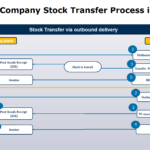
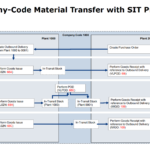
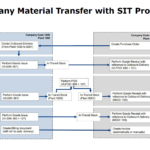
The flowchart illustrates the intra-company stock transfer process in SAP MM (Materials Management), specifically focusing on stock transfer via outbound delivery using a Stock Transport Order (STO).
Here’s a breakdown of the process:
🏭 Receiving Plant Actions:
- Create UB PO (ME21N): The process begins with creating a Stock Transport Order (STO) using document type UB at the receiving plant. This document type is used for transporting material between plants within the same or different company codes.
- Post Goods Receipt: After the stock is in transit, the receiving plant posts a goods receipt using transaction code MIGO with movement type 101.
- Invoice Processing: Following the goods receipt, an invoice for logistic costs is processed.
🏭 Issuing Plant Actions:
- Outbound Delivery (VL10G, VL02N): Upon receiving the STO (UB document), the issuing plant creates an outbound delivery.
- Transfer Posting: The issuing plant then performs a transfer posting (goods issue) using transaction code VL02N with movement type 641 or 647.
- Good Issue Slip: A goods issue slip is generated as part of this process.
🔄 Stock in Transit (MB5T):
- Between the transfer posting at the issuing plant and the goods receipt at the receiving plant, the stock is considered “in transit”.
The flowchart presents two slightly different scenarios:
- Using movement type 641 (Transfer Posting: Plant to Plant) which is known as two step procedure. In this scenario the stock update takes place in both plants at a time.
- Using movement type 647 (Transfer Posting to Stock in Transit) which is also known as one step procedure. No goods receipt (MIGO) is required when goods arrive in receiving plant.
| Scenario | PTP | OTC |
| Intra-company STO In two steps | Purchase Order type: ·UB Stock transport ord., with “U” item category ·NB Standard PO, with “blank” item category Movement Type: ·641 by posting the GI via VL02N ·101 by posting the GR via MIGO | Delivery type: NL Delivery item category: NLN Billing relevance: Not relevant |
| Intra-company STO in One Step | Purchase Order type: ·UB Stock transport ord., with “U” item category ·NB Standard PO, with “blank” item category Movement Type: ·647 and 101 are triggering by posting the GI via VL02N Tcode. | Delivery type: NL Delivery item category: NLN Billing relevance: Not relevant |
📚 Related Document and Video Tutorial Resources:
- For a detailed guide on STOs: STO Configuration & End-User Manual in SAP 📑
- To understand inter-company processes: Inter Company Stock Transfer Process in SAP: Users Guide 📑
- For insights into Movement Types: SAP MM-IM: Extensive Guide to Material Movements 📑
- Video Tutorial to understand STO Process in SAP: SAP MM Stock Transport Order with Shipping, Billing and Routes ▶️
This process showcases how SAP handles intra-company stock transfers, utilizing the UB document type for Stock Transport Orders, which is distinct from the NB document type used for external vendor procurement.