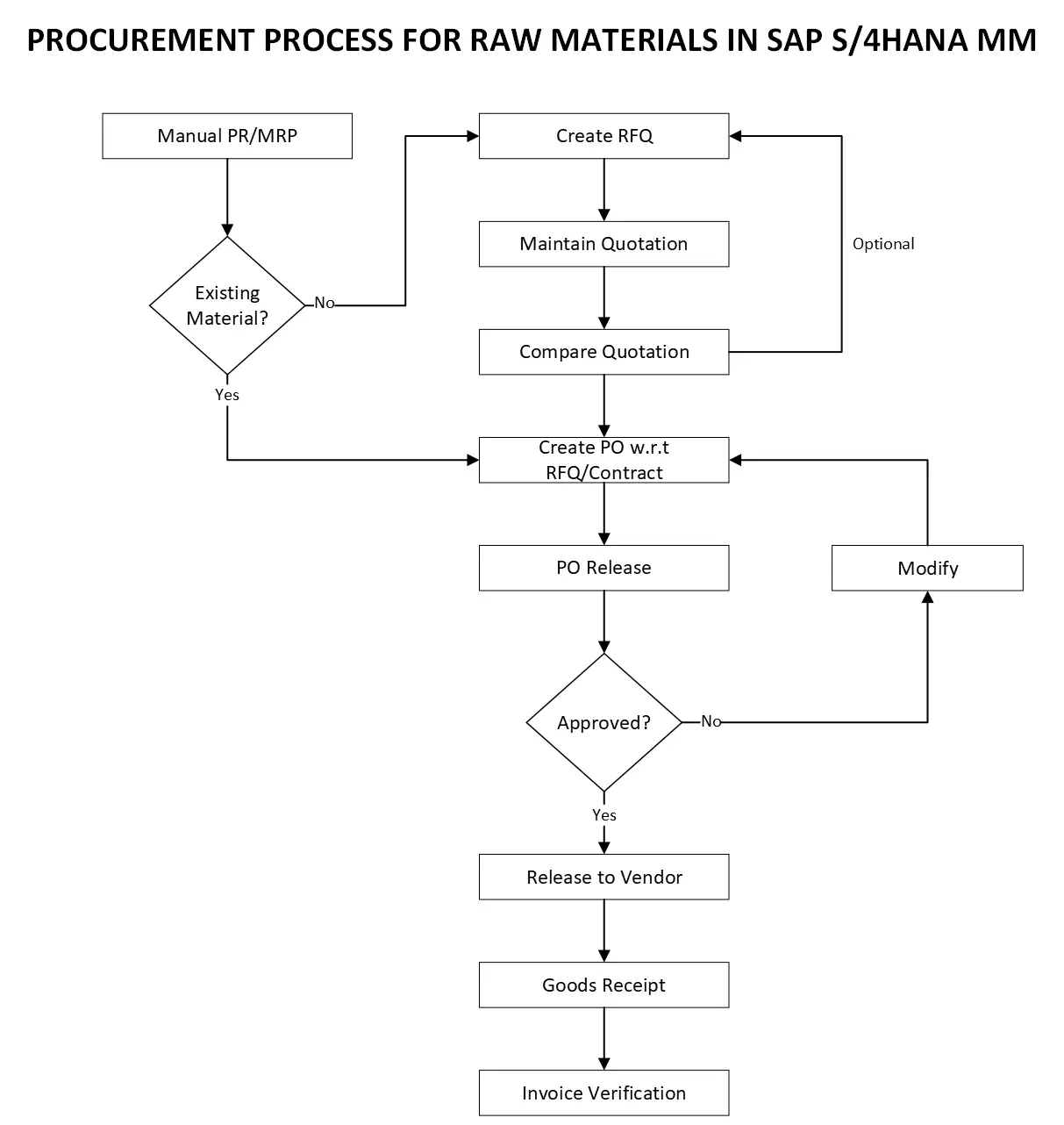
This flowchart picture depicts the procurement process for raw materials in SAP S/4HANA MM. It outlines the steps involved in acquiring raw materials, from initiating the requisition to receiving and paying for the goods.
Here’s a breakdown of the procurement process for raw materials in SAP S/4HANA MM based on the flowchart:
-
Manual PR/MRP: The process starts with a manual purchase requisition (PR) created by a department or through Material Requirements Planning (MRP) automatically generating a requisition based on planned production needs.
-
Existing Material?: The system checks if the raw material already exists in the system.
-
Create RFQ (Request for Quotation): If the material is new, an RFQ is created to solicit bids from potential vendors. This step might be optional depending on your company’s procurement strategy.
-
Maintain Quotation: Vendors respond with quotations which are recorded in the system.
-
Compare Quotation: The quotations are compared to choose the most favorable supplier based on factors like price, quality, and delivery time.
-
Create PO w.r.t. RFQ/Contract: A purchase order (PO) is created referring to the chosen RFQ or existing contract with the selected vendor.
-
PO Release: The purchase order undergoes an approval process. If modifications are required, the PO is sent back for adjustments.
-
Release to Vendor: Once approved, the PO is released to the chosen vendor.
-
Goods Receipt: Upon receiving the raw materials, a goods receipt (GR) is created in the system to document the quantity and quality of the delivered items.
-
Invoice Verification: Finally, the vendor’s invoice is verified against the purchase order and goods receipt for accuracy before payment processing.