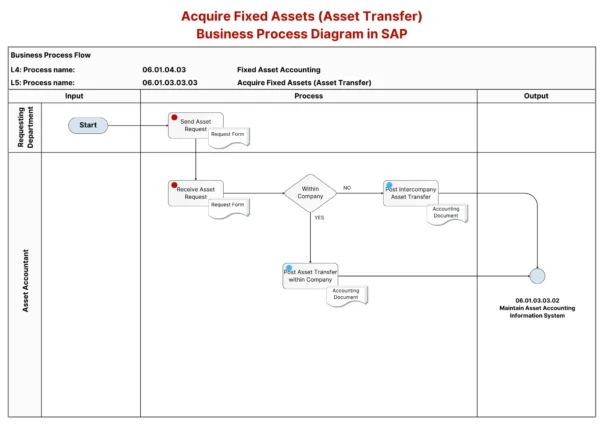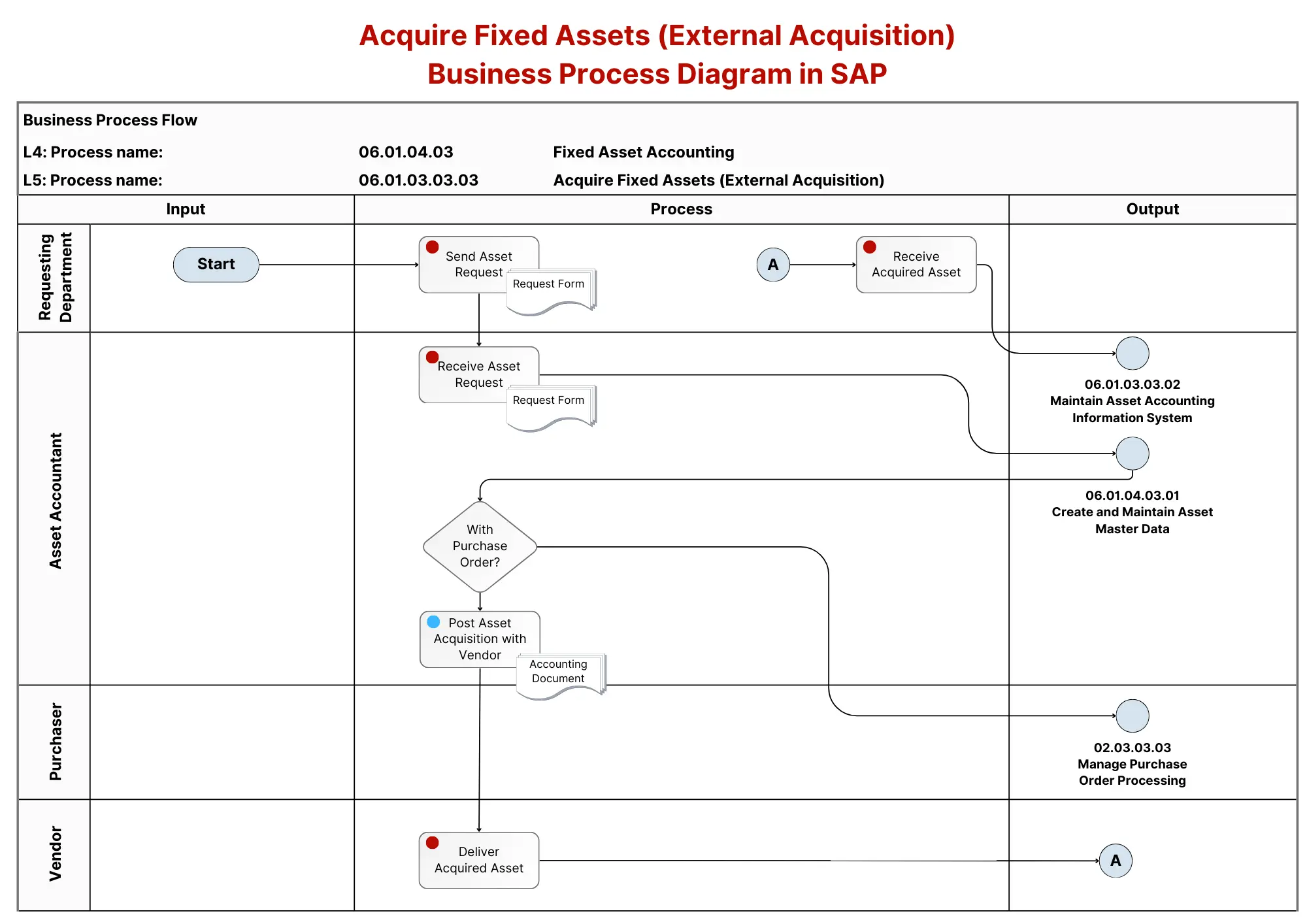
This process focuses on acquiring fixed assets through external acquisition in SAP FI-AA. The flowchart outlines the steps involved in acquiring assets from a vendor, starting from the asset request to receiving the acquired asset. Below is a breakdown based on the detailed process steps from the flowchart image:
- Send Asset Request 📝: The process begins when the requesting department sends an asset request form, which serves as the formal request for the acquisition of a fixed asset.
- Receive Asset Request 📥 The Asset Accountant receives the asset request and reviews it to ensure all necessary details for asset acquisition are provided.
- With Purchase Order? 🛒< A decision is made on whether the acquisition involves a purchase order. If the asset acquisition requires a purchase order, the process moves forward accordingly.
- Post Asset Acquisition with Vendor 📑 If a purchase order is involved, the asset acquisition is posted in the system. An accounting document is generated to record the financial transaction of acquiring the asset from the vendor.
- Deliver Acquired Asset 📦 The vendor delivers the acquired asset to the organization. The acquisition is complete once the asset is physically received.
- Receive Acquired Asset 📥 The Asset Accountant records the receipt of the asset in SAP. At this point, the asset is integrated into the organization’s asset management and accounting systems.
This process ensures a seamless external acquisition of assets, from request initiation through to posting and physical delivery, while keeping track of the asset in SAP’s financial and asset management systems.