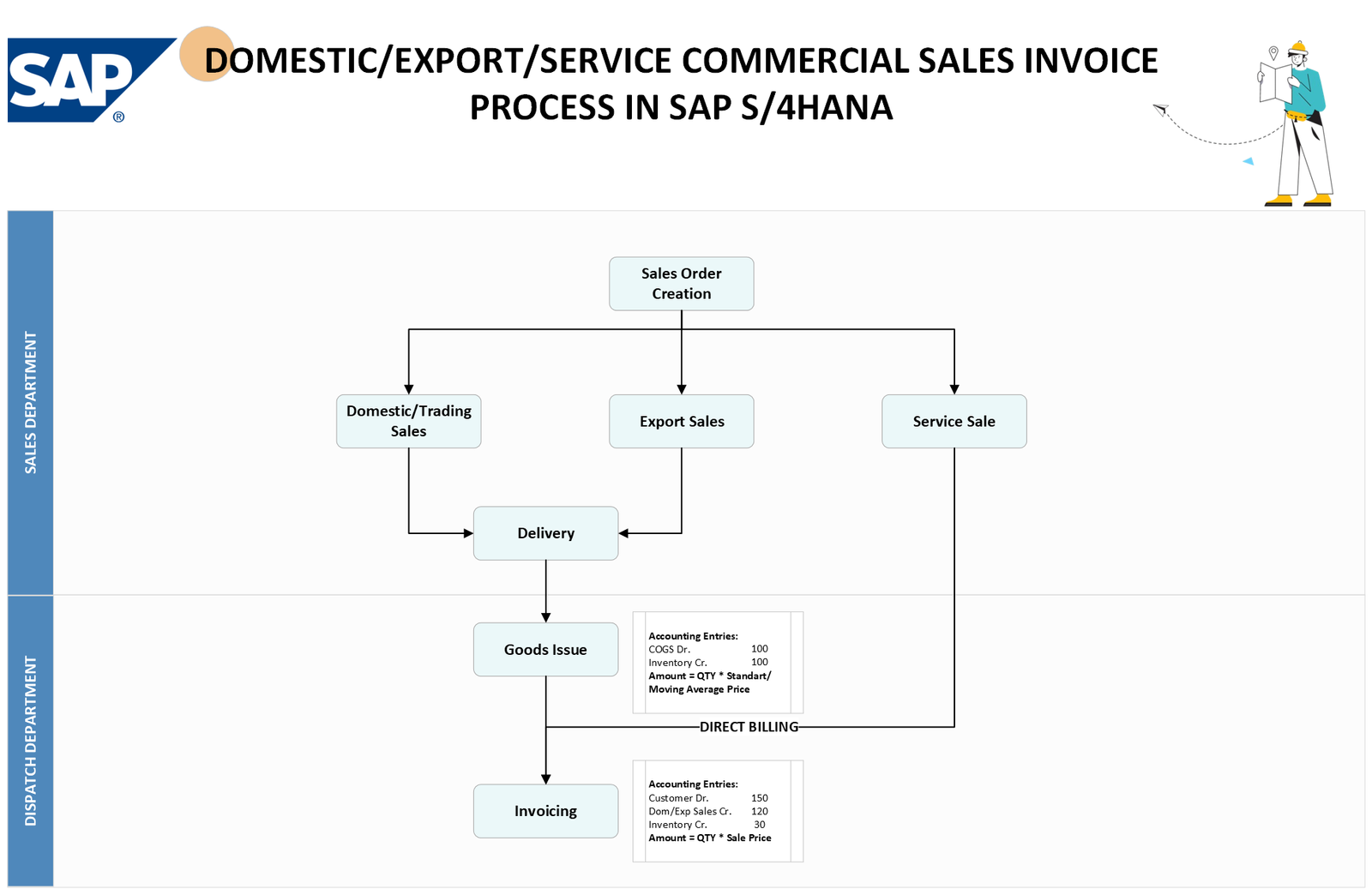
This flowchart outlines the process for handling commercial sales invoices for domestic, export, and service sales within SAP S/4HANA. The process is divided into several key steps, with specific accounting entries at each stage.
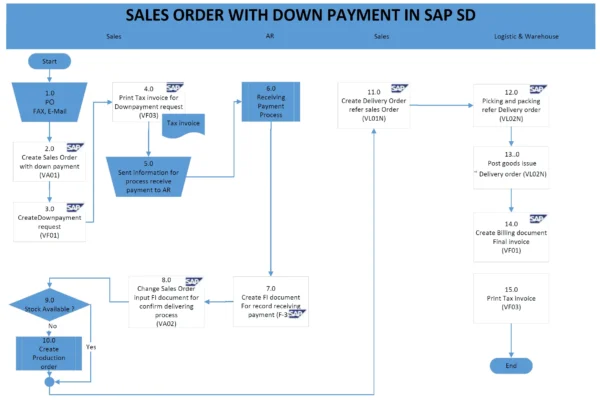
- The process starts with Sales Order Creation using transaction code VA01.
- The system then determines the type of sale based on the sales order: Domestic Sales, Export Sales, or Service Sale.
- For Domestic/ Trading and Export Sales, the system checks if there’s a delivery. If there is a delivery, a delivery document is created. This is followed by a Goods Issue (PGI) using transaction code VL01N , which triggers accounting entries debiting the Cost of Goods Sold (COGS) account and crediting the Inventory account. The amount is determined by multiplying the standard/moving average price by the quantity.
- For Service Sales, there’s no delivery or goods issue step. The system directly creates an invoice after determining it’s a service sale.
- Customer Invoice (aka billing) is created with reference to the sales order using transaction code VF01, generating an accounting document.